
SCI platform · Built for Service Learning
Where we tackle the challenges together
Interdisciplinary teams of students from several universities work on a real challenge with a Service Learning Partner, guided by a mentor. The platform carries both the project and each student’s Learning Journey through it.


The whole programme comes together in one place,
each team in its own space with its mentor and partner.
The platform
Built around how a team works
Here is where each part of a team’s work happens on the platform.
Talk
Conversations between meetings
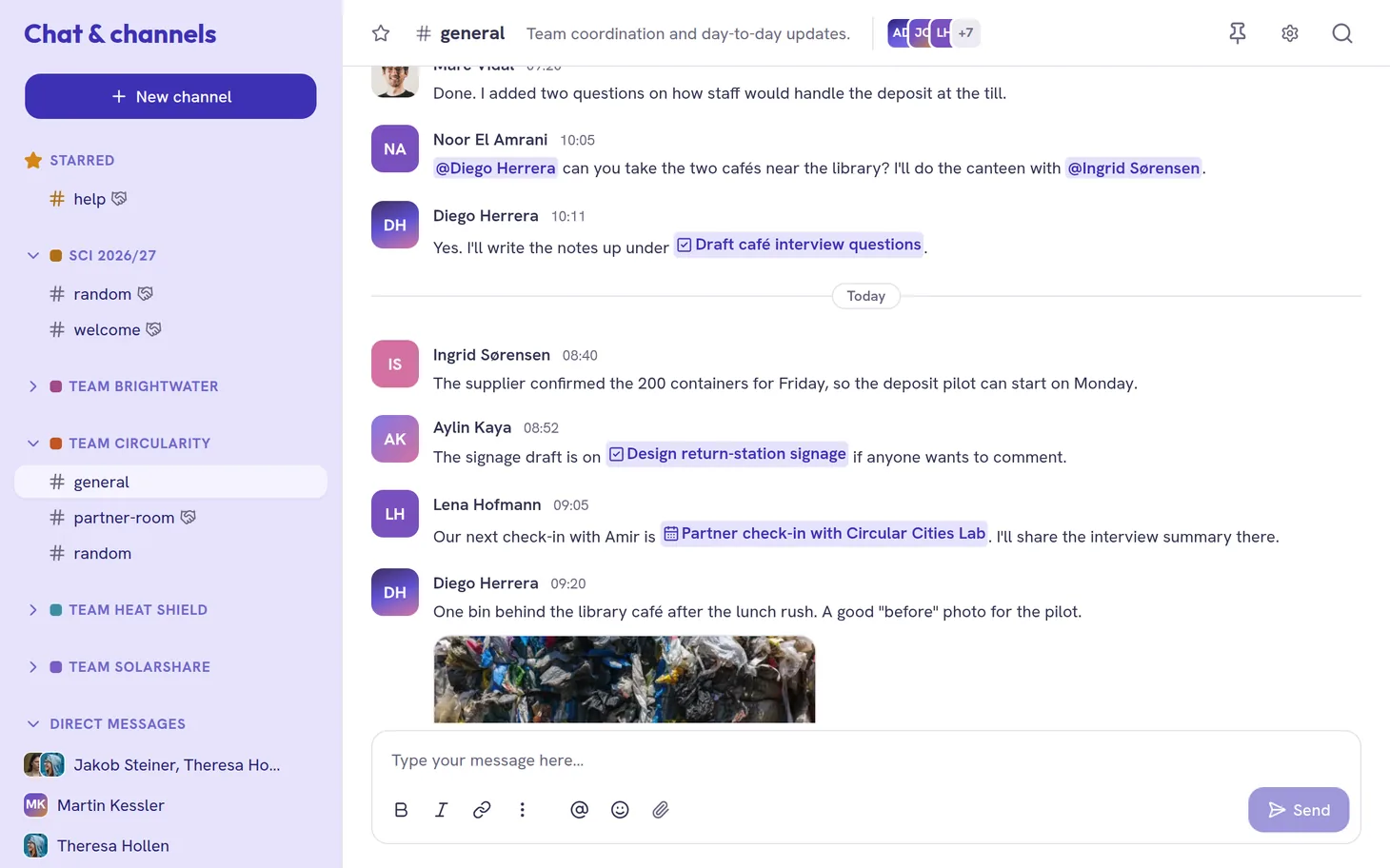
Channels and direct messages
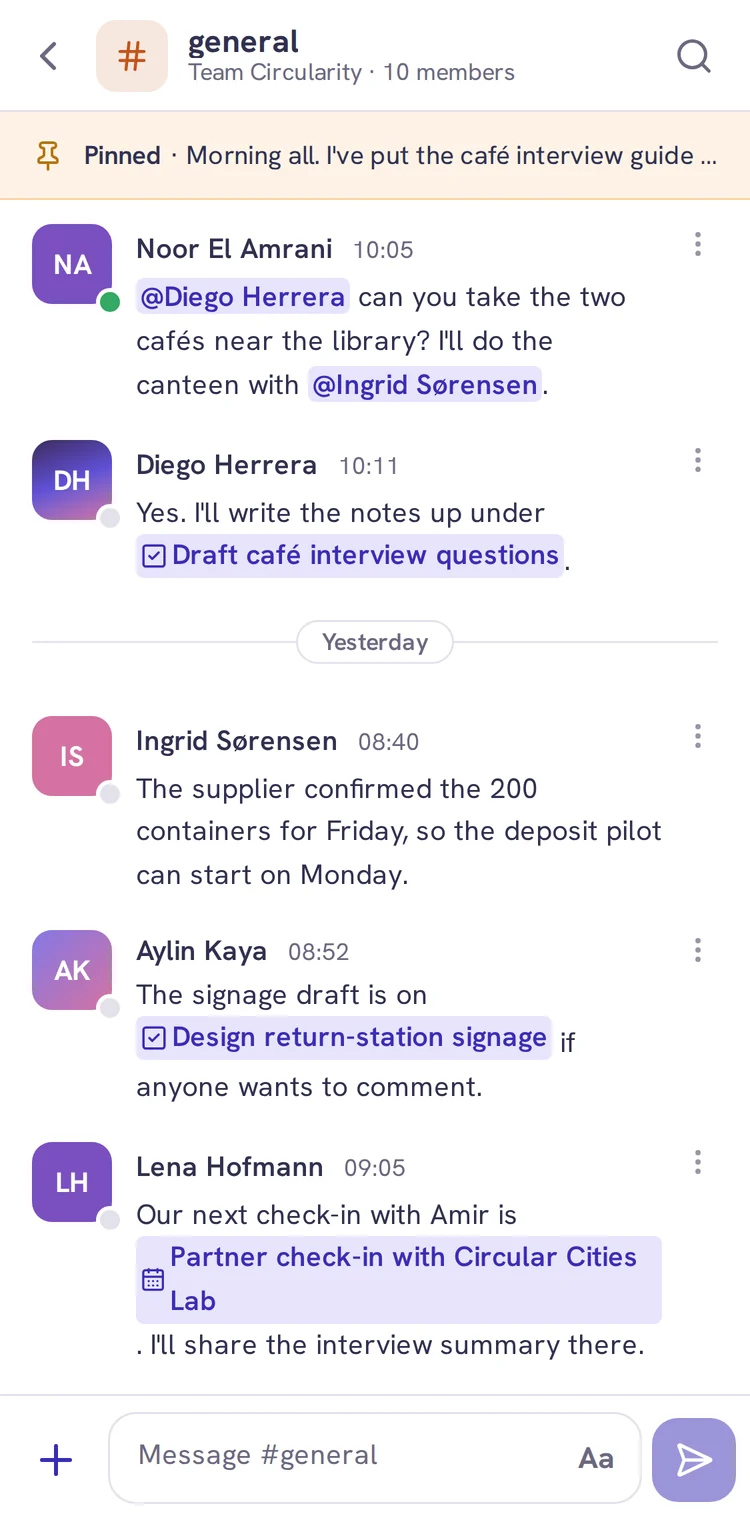
Each team has its own channels, and anyone in the programme is a direct message away. Conversations and work are connected: a message names the task or meeting it’s about, and the same works in a task’s comments.
Collaborate
Shared files and whiteboards
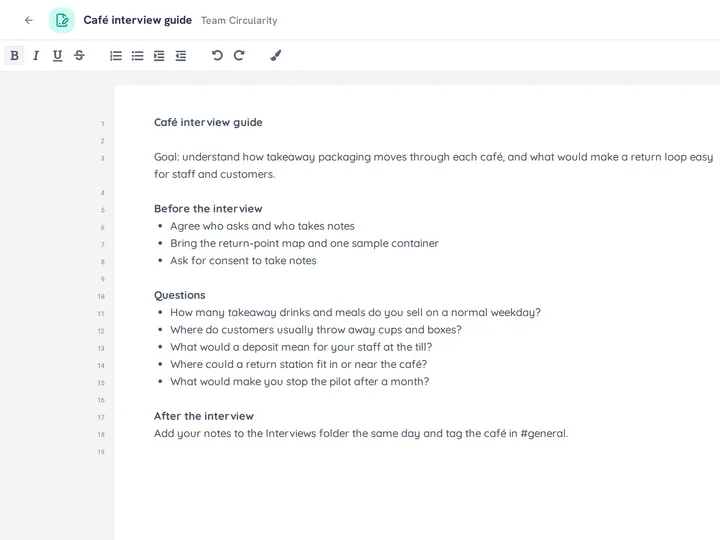
Files and live documents
A joint report comes together best when everyone writes in one place. The team keeps one set of files, and several people write in the same document at once.
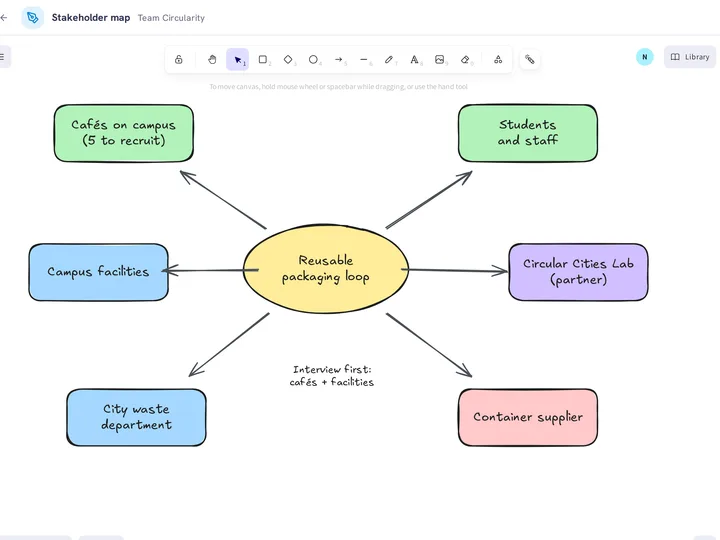
Whiteboards
Some ideas are easier to draw than to write, like a map of stakeholders or a first sketch of the plan. Several people draw on the same board at once, and find it as they left it when they come back.
Plan
Who does what, by when
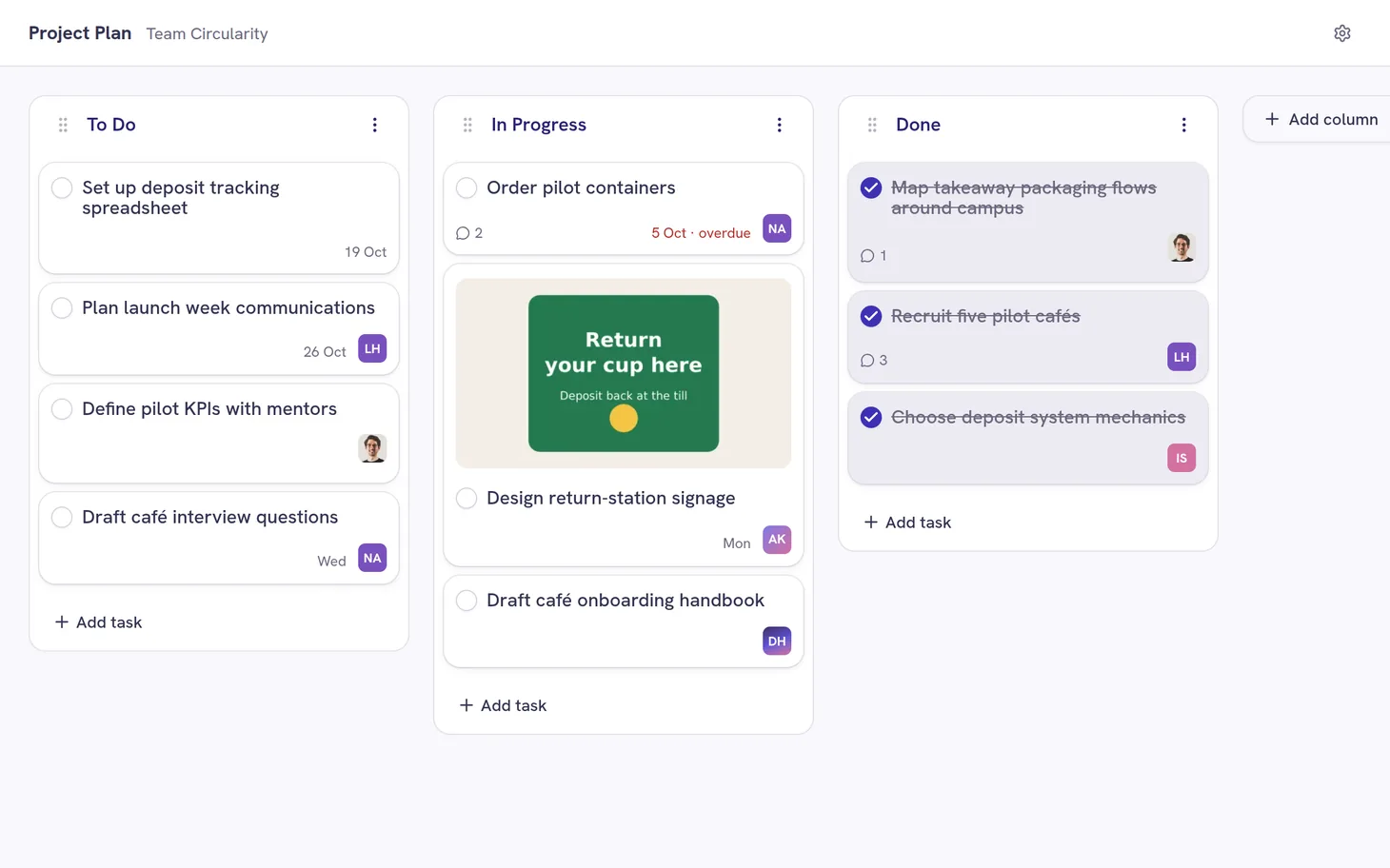
Task boards
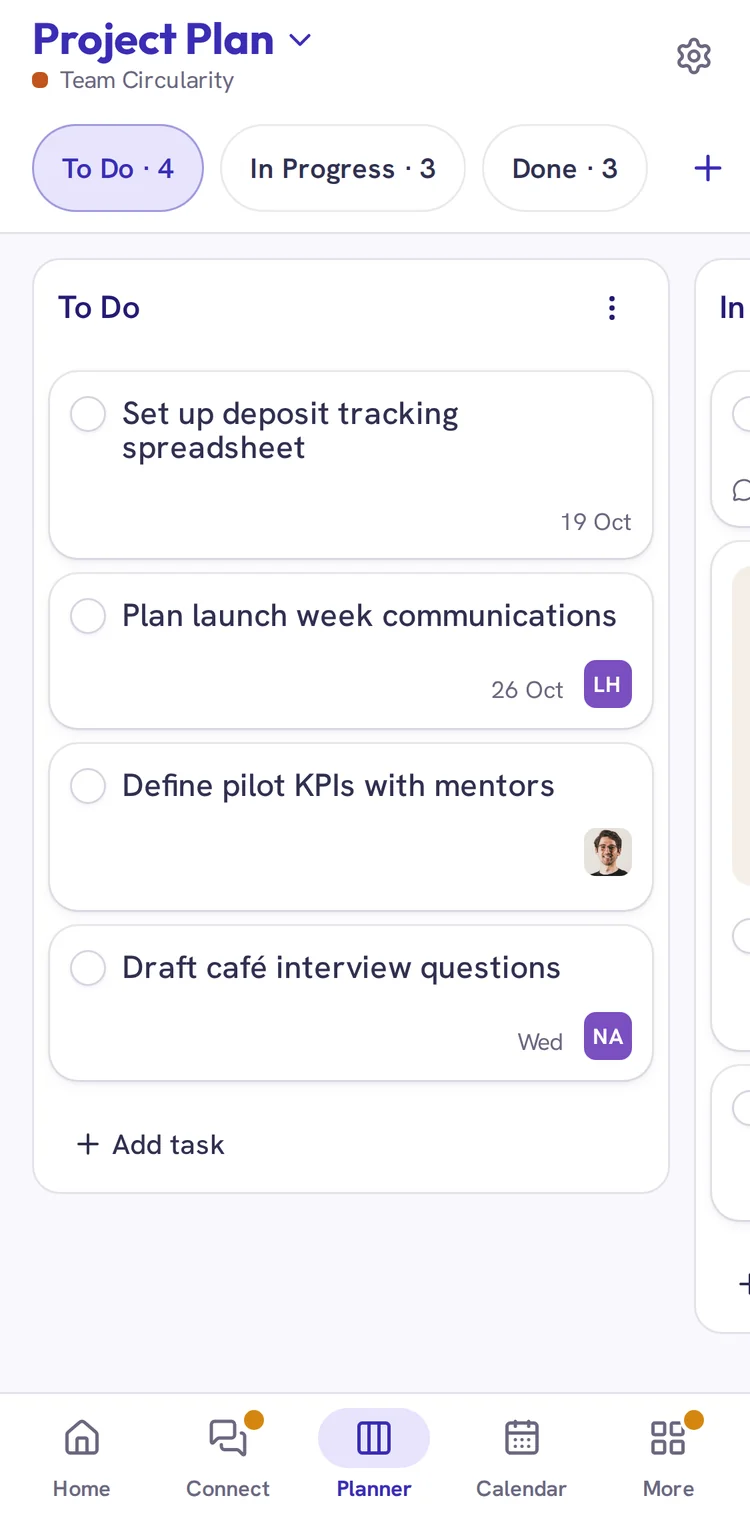
Task boards are the team’s own way to split up the work, separate from the Deliverables the programme sets. Each task has one person who takes care of it, so everyone knows what’s theirs.
Meet
Getting the team together
Calendar
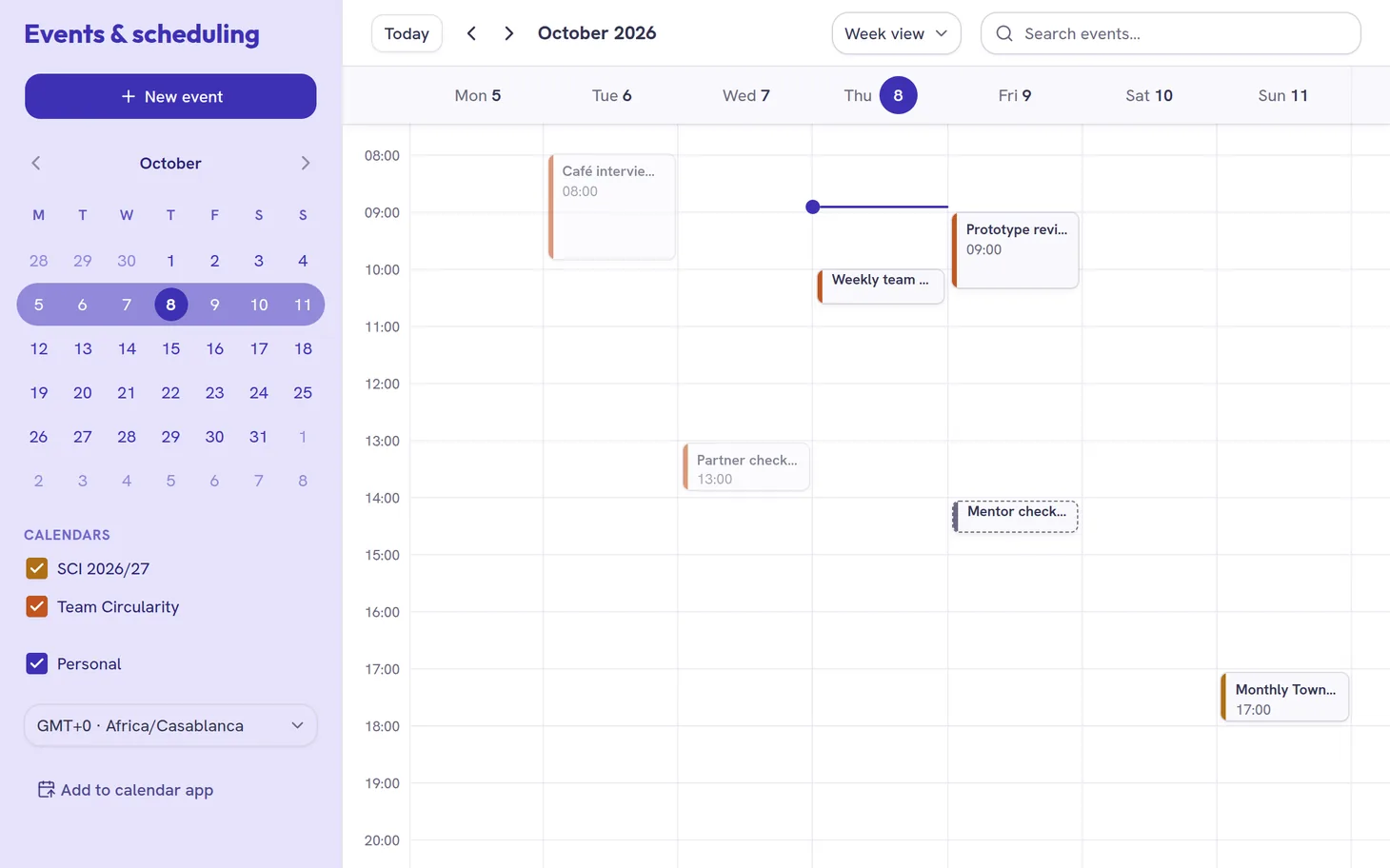
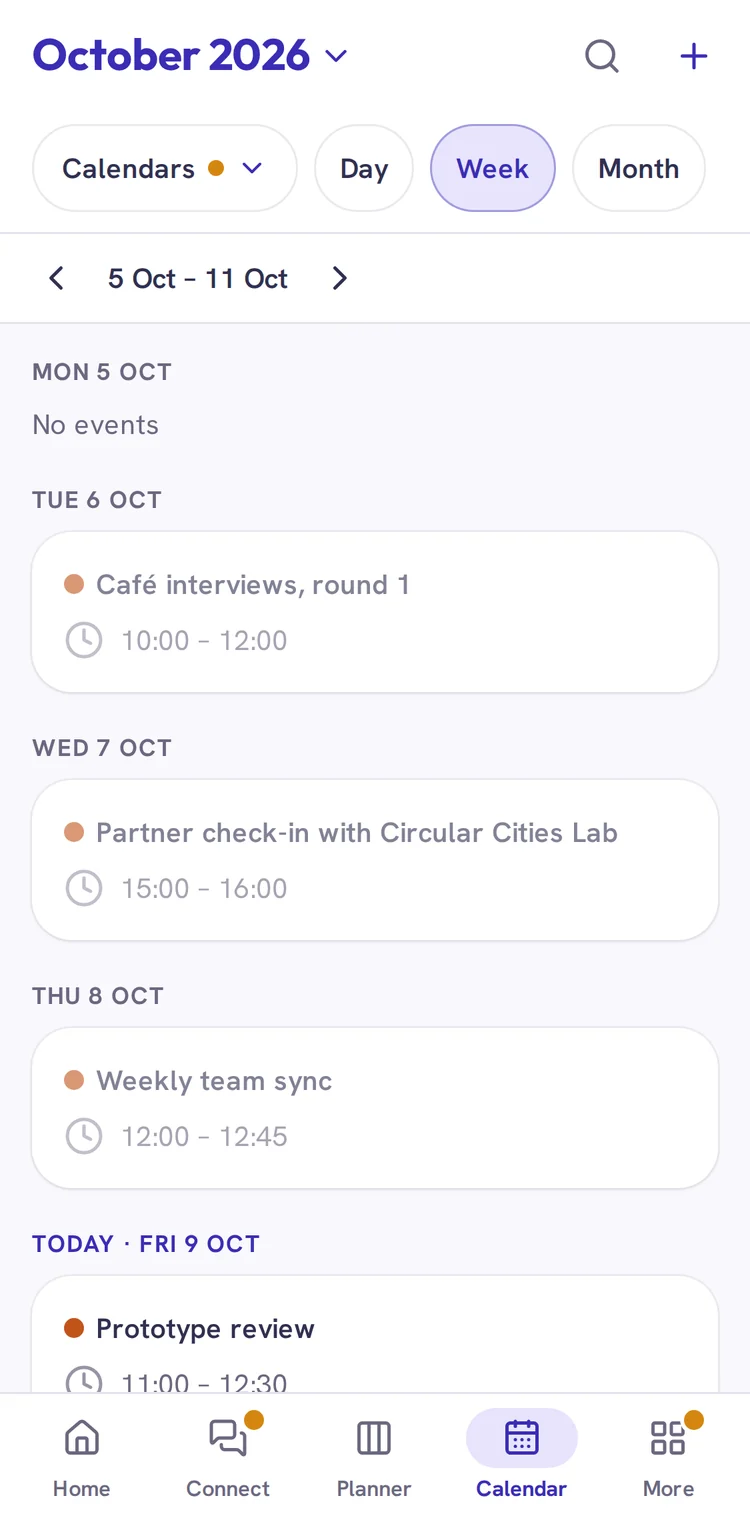
Meetings, programme dates and Deliverable deadlines share one calendar, so a team spread across time zones can plan around what’s due. It also shows up in the calendar app each person already uses, and meetings happen in whatever video tool the team prefers.
Learn
Teaching and resources
Learning modules
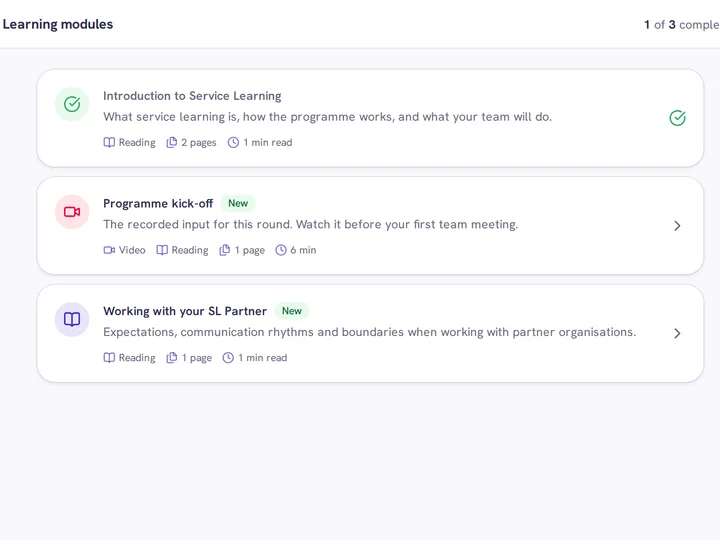
The programme’s teaching is recorded as modules with video and reading, so students can work through it when it fits their week.
Tools and resources
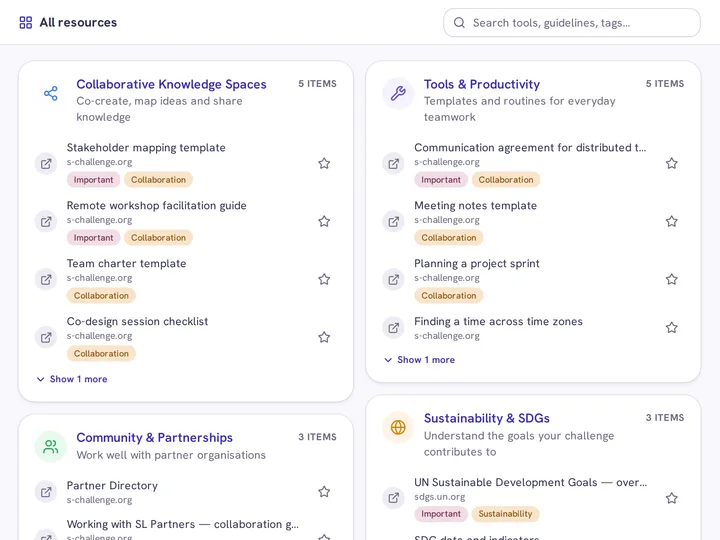
The SCI Team keeps a list of the tools it recommends, along with guides and templates for mentors and partner universities.
Catch up
What’s next and what changed
A dashboard for each role
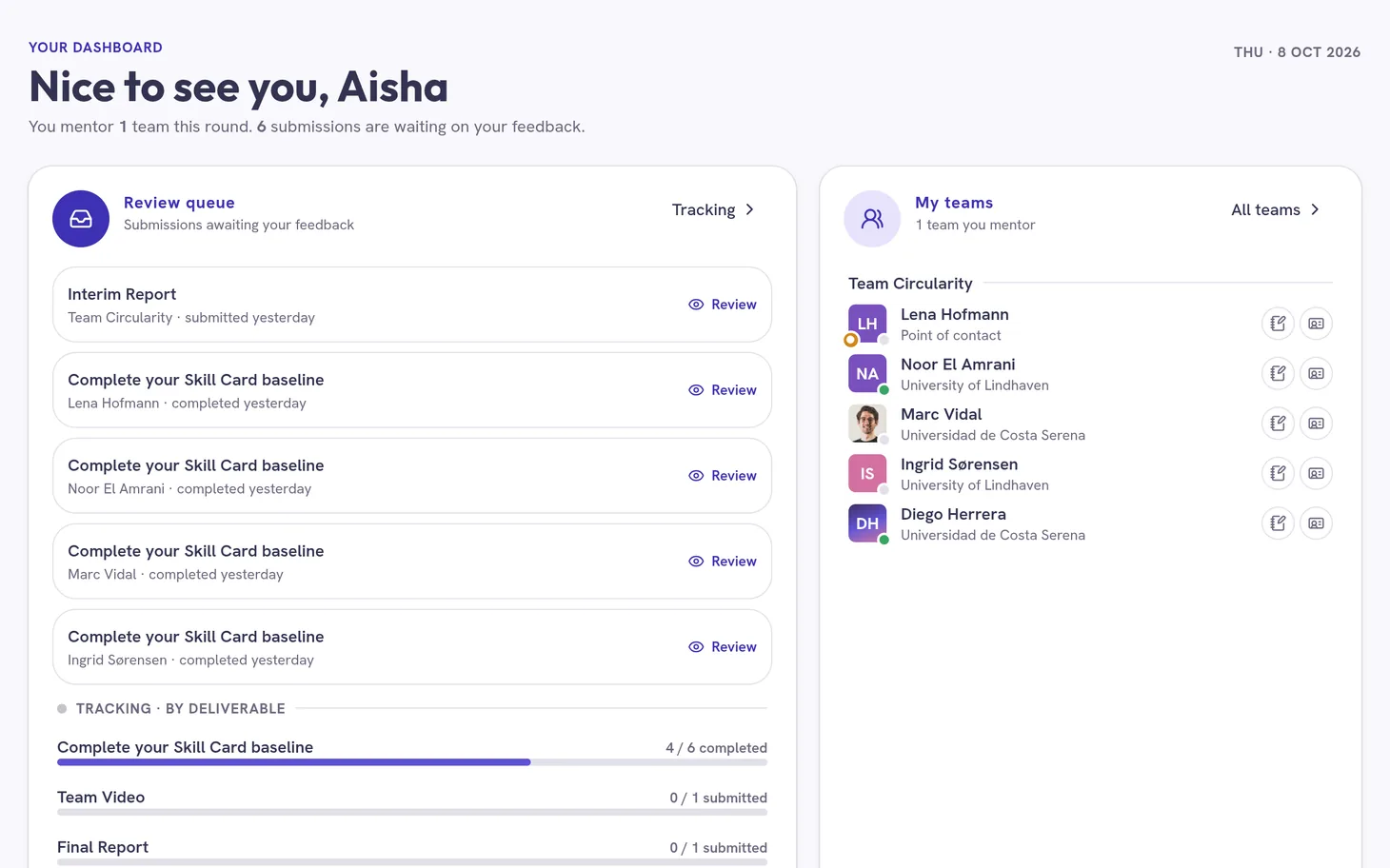
The dashboard starts with what matters for your role. Students get what’s due next, mentors get the work waiting for their review, and partners get what has been shared with them.
Activity feed
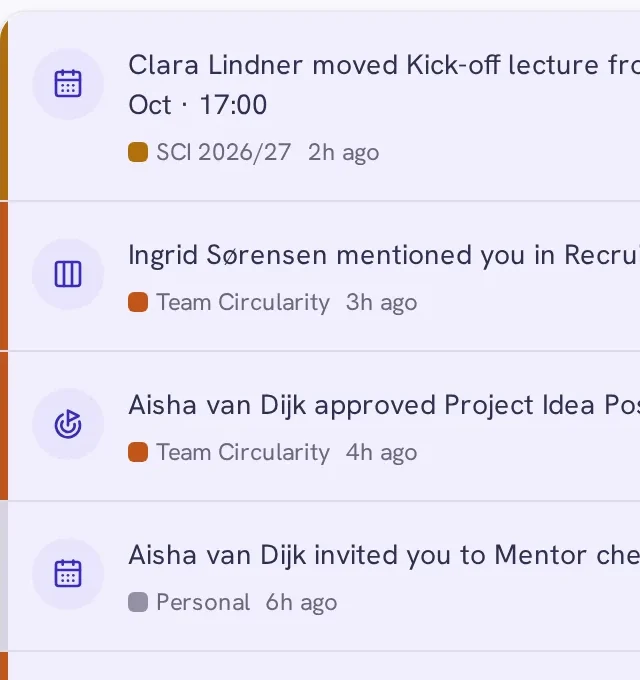
You don’t have to open every folder and task board to catch up. The feed collects what changed in your spaces, and anything that concerns you directly also comes by email.


Support
For each kind of question there’s a named member of the SCI Team you can message directly, and an FAQ for the quick ones.
Made for international teams
Your team rarely shares a room or a time zone. The dashboard shows each teammate’s local time and who is online, so you can tell whether a question gets an answer now or tomorrow morning.
Small things that help
- Search messages and file names
- Email or desktop notifications, set per type
- Mute notifications for one space
- A Busy status that pauses desktop notifications
- Reminders for events, task due dates and Deliverable deadlines
- A record of who changed files, tasks and events
- Optional two-factor sign-in
Learning Journey
Skills and mentor feedback
In the Sustainability Challenge, learning is as much about how you work with others, deal with uncertainty and make decisions as about what you know. Each student keeps a Service Learning Diary and a Skill Card, so that by the end they can name the skills they’ve built.
Reflection
Skill Cards and the diary
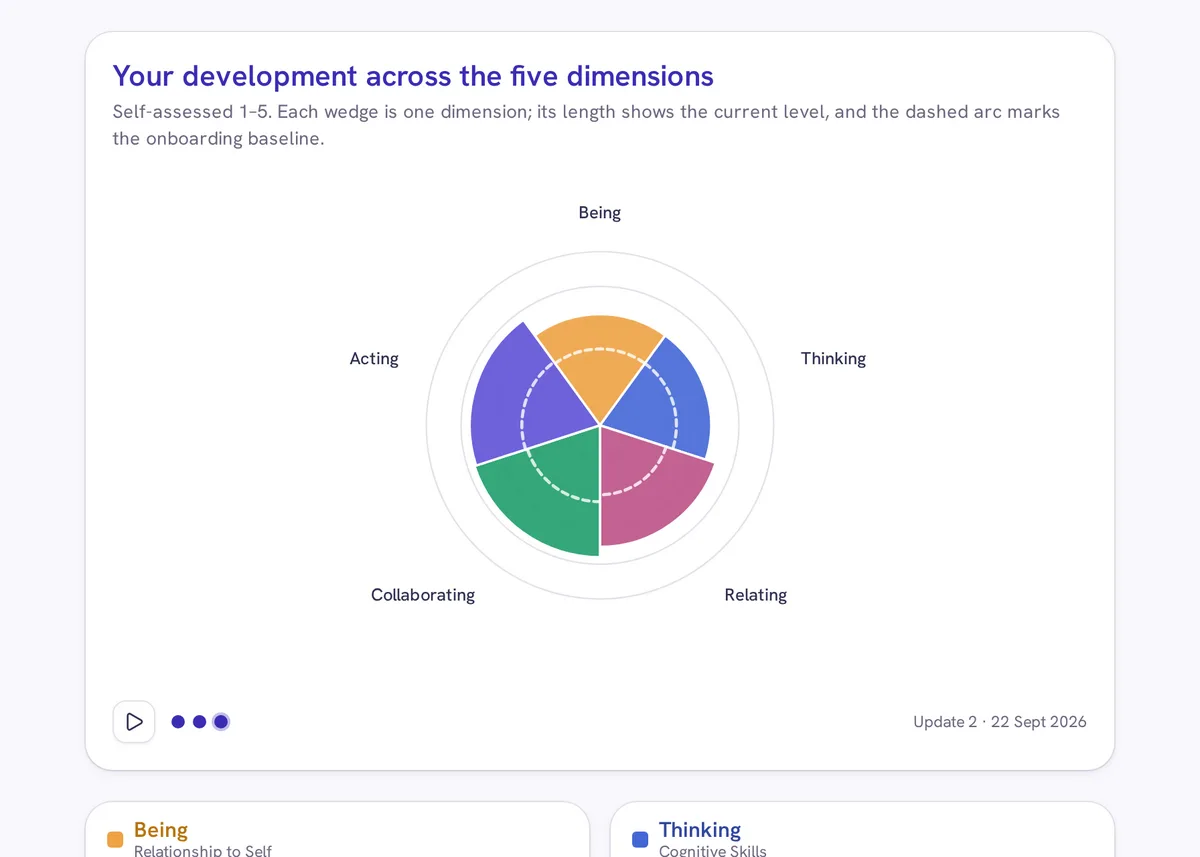
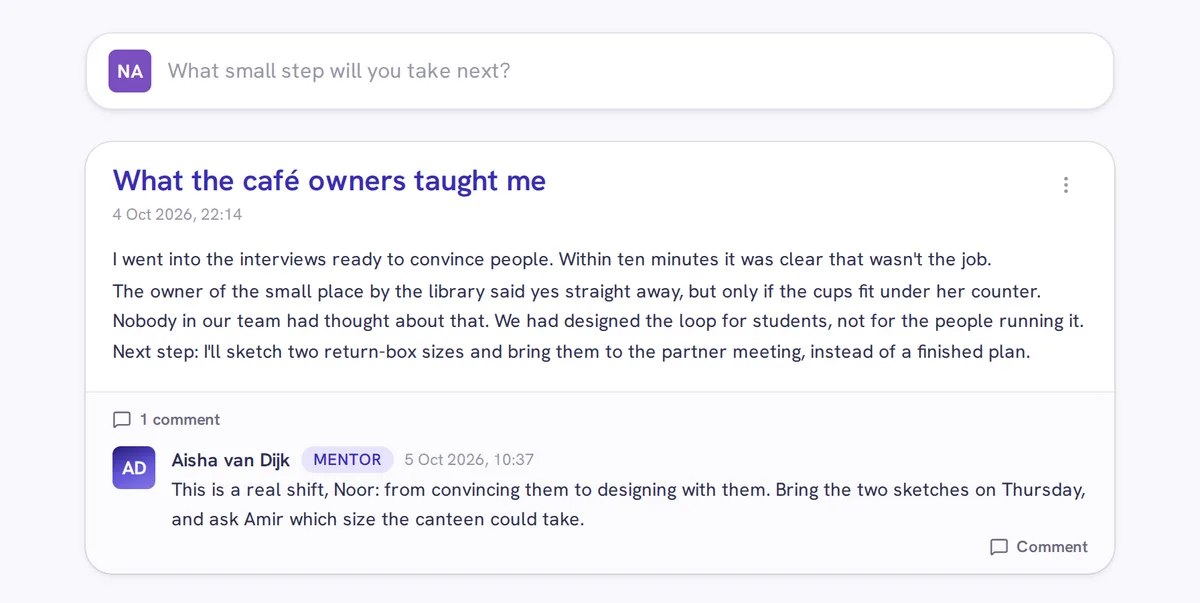
The Skill Card is built on the 23 skills of the Inner Development Goals, such as self-awareness, empathy, courage and co-creation: the inner capacities that sustainability work depends on. Students rate themselves when they join and update their card as they go. Each update is a short reflection in their diary, which their mentor can comment on.
Deliverables
Hand in and get feedback
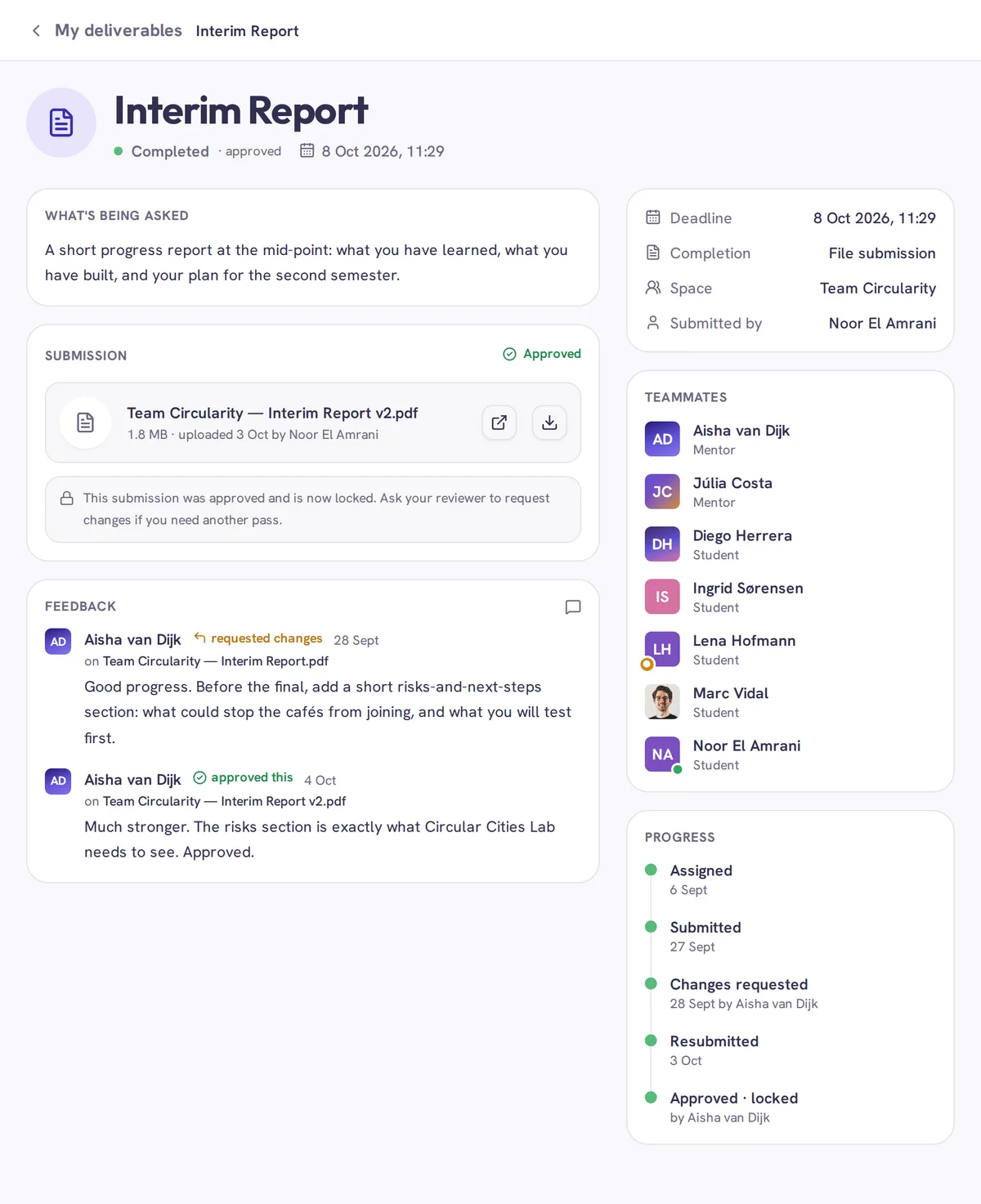
The SCI Team and mentors set Deliverables, each with a deadline: a file to hand in, or a step on the platform such as a diary entry. The mentor reviews each one and approves it, or sends a handed-in file back with a note on what to change.
Privacy and sharing
Everyone sees what they need, nothing more
Who sees what depends on which spaces you belong to and what the team shares with its partner.
The whole cohort shares one space
Everyone belongs to it, for announcements, questions and events such as the Summer School. Partners see what the SCI Team shares.
Each team works in its own space
Its channels, files, task boards and calendar belong to the team. Others see the project’s name, challenge, description and members, not its work.
Partners see what the team shares
- Files: shared, unless the team hides a folder
- Channels and events: only the ones the team shares
- Deliverables: only those the SCI Team or mentor shares with partners, such as the Final Report
- Task boards: never
- Diaries and Skill Cards: never
Team view
Noor El Amrani, student: sees every channel and folder
- #help
- #random
- #welcome
- #general
- #partner-room
- #random
 Sanne de Vries
 Mateo Silva
- Deliverables6 Oct 20262 items
- Drafts24 Sept 20261 item
- Field photos6 Oct 20261 item
- For Circular Cities Lab24 Sept 20262 items
- Interview notes24 Sept 20261 item
- Research6 Oct 20263 items
- Team only6 Oct 20263 items
- Project Brief.pdf6 Oct 2026910.2 KB
- Return-point map.pdf5 Oct 20261.9 MB
Partner view
Amir Khan, Service Learning Partner: sees only the shared channels and folders
- #help
- #random
- #welcome
- #partner-room
- Sanne de Vries
- Deliverables6 Oct 20262 items
- Field photos6 Oct 20261 item
- For Circular Cities Lab24 Sept 20262 items
- Research6 Oct 20263 items
- Project Brief.pdf6 Oct 2026910.2 KB
- Return-point map.pdf5 Oct 20261.9 MB
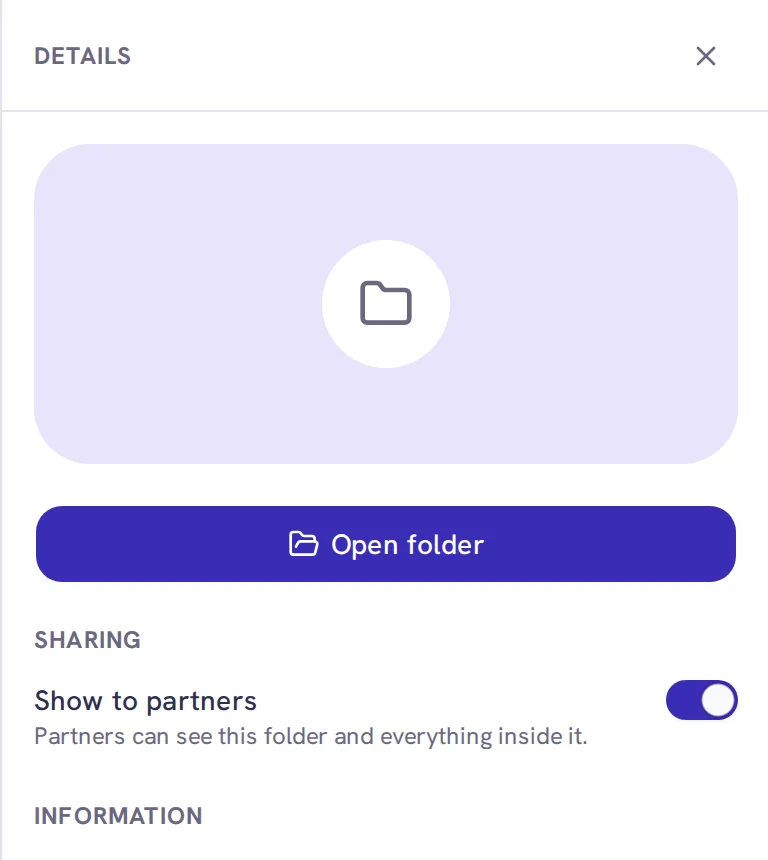
The team decides what to share
Working with a partner means showing work in progress, but not every draft or discussion. The team can change what it shares at any time.
Phone and desktop
At a desk or on the go
Messages, task boards, the calendar and files also work on a phone, so a quick reply or a look at what’s due doesn’t have to wait until you’re back at your laptop.
Where it comes from
Based on 16 years of the Sustainability Challenge
The platform is new; the programme isn’t. The Sustainability Challenge has run in Austria since 2010 as a project of RCE Vienna at WU Vienna, and is now opening to universities and partners around the world.
16
editions since 2010
1,100+
students
130
partners and start-ups
200+
projects
“Our students didn’t just study the SDGs. They worked a real challenge with a real partner, and you could watch them grow over the year.”
Mentor, Austrian partner university
Get in touch
Join as a university or a partner
The next round starts in autumn 2027. On a walkthrough call we’ll take you through a team space and answer your questions.
- We set up every account
- Hosted in the EU, fully GDPR compliant
- Runs in the browser, nothing to install
- Built with accessibility in mind, guided by WCAG
The platform comes with the programme, no extra licence required.